Xavier Morales[email protected]Email me

AI CRM

Casa Intel is the CRM I built for real estate agents, run by an AI agent. Ask it in plain words, by chat or voice: it looks things up, updates leads, books the calendar, drafts the docs and says what to do next. The pages are where you see what it did.

Built for real estate, ready to set up for your team.

Works on computer and phone.

An AI agent that runs your CRM

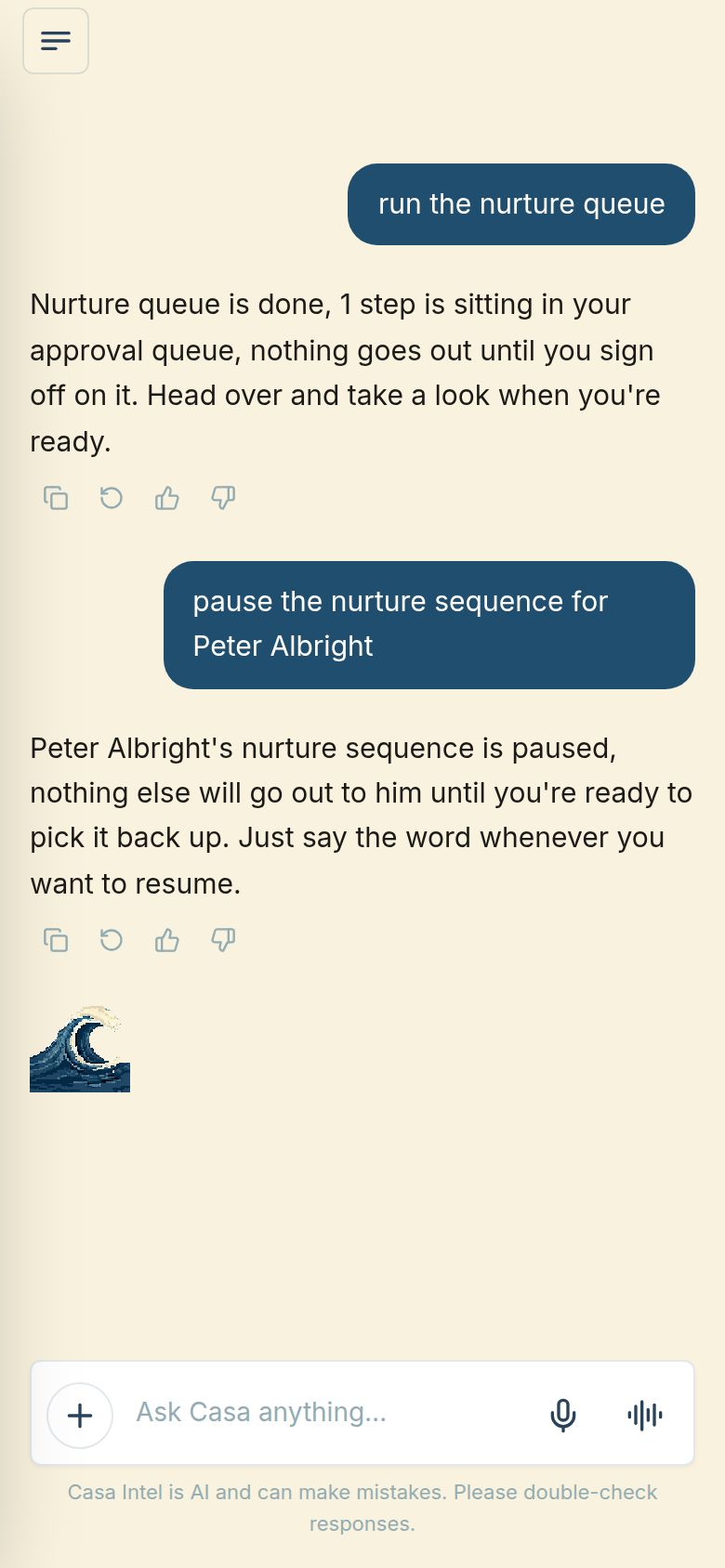
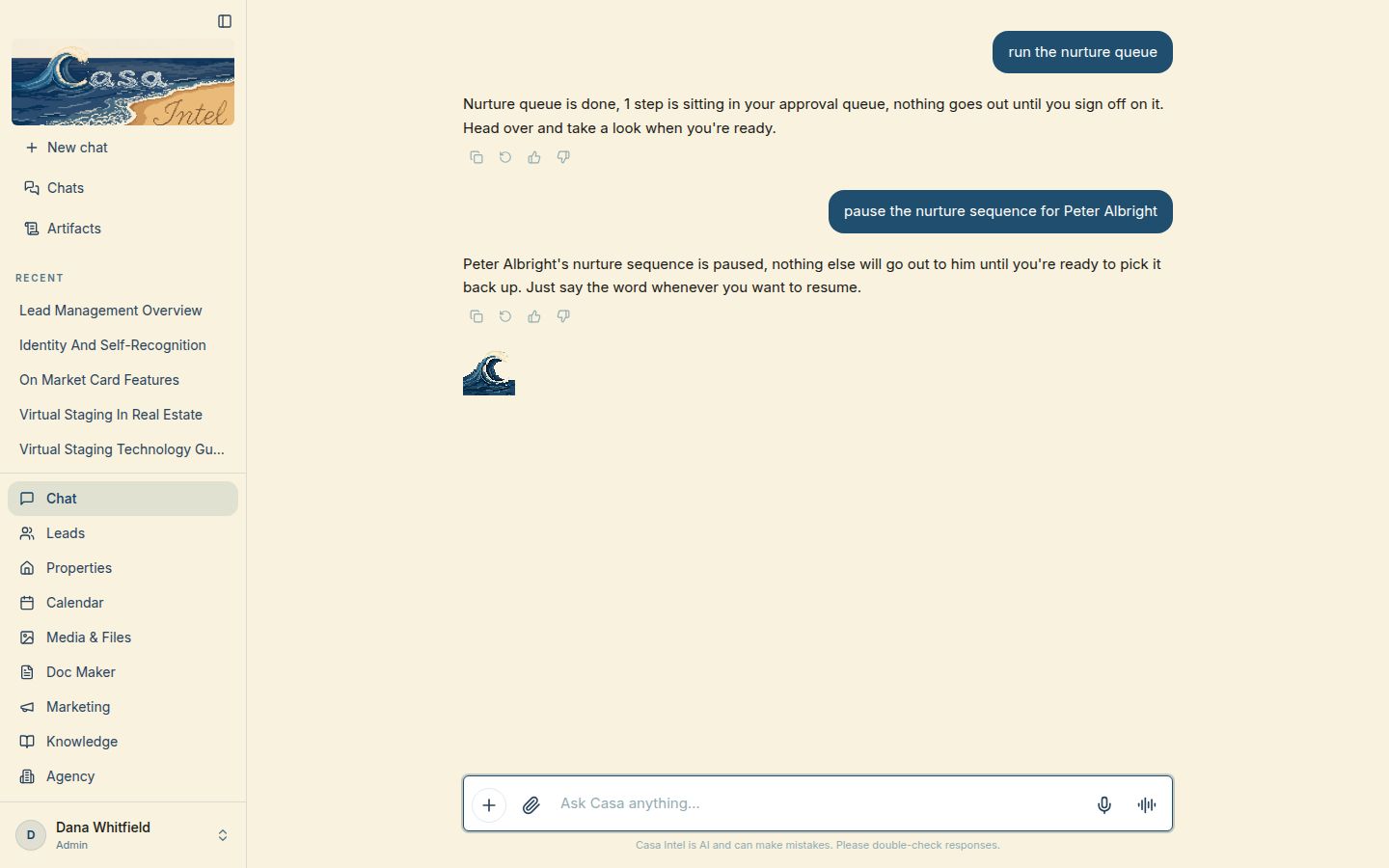
Ask in plain words and the agent does the work, then says what changed. Here it runs the nurture queue and pauses one lead’s messages.

What it does for you
The busywork gets done in one sentence, and nothing goes out until you approve it.
How I can do this for you
I can put an agent like this on top of your CRM and the tools you already use.
Ask me about this
The chat on a computer: the nurture queue run and one lead’s nurture sequence paused, each confirmed
On a computer
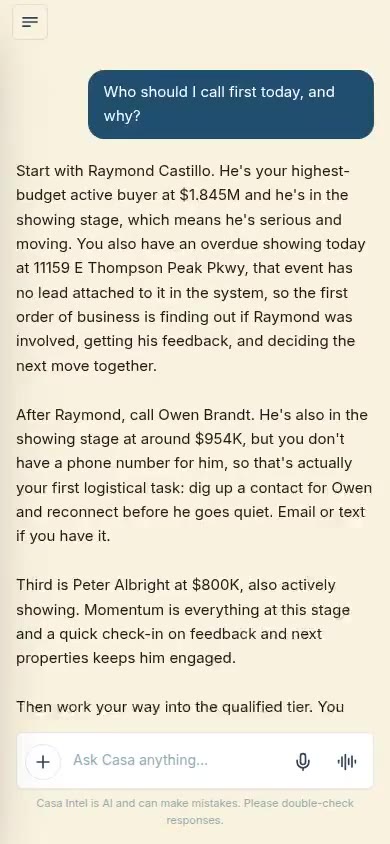
The same chat on a phone
On a phone

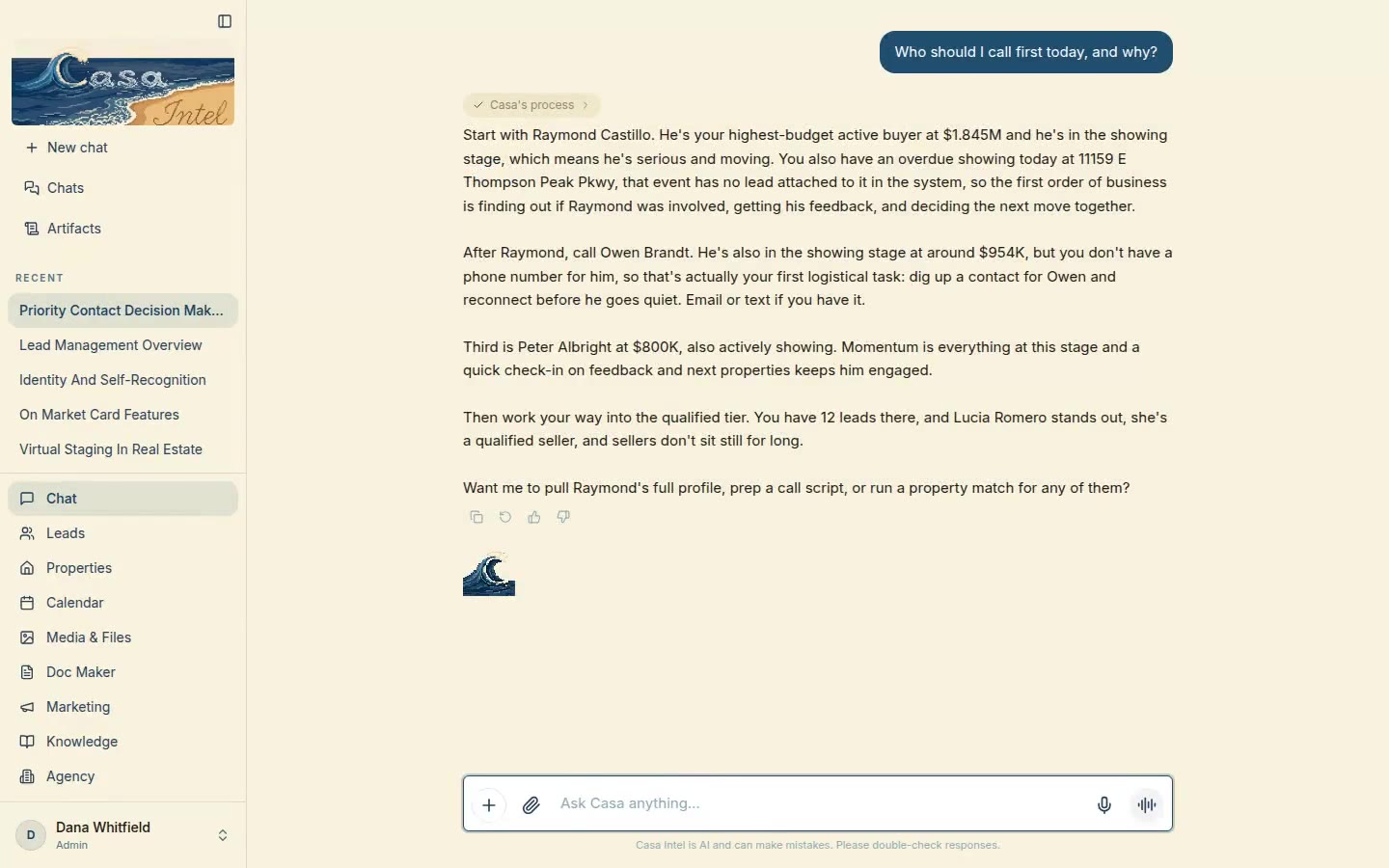
It tells you who to call first

Ask who to call today and the agent ranks leads from your own pipeline, with a reason for each. It also flags what is missing, like a lead with no phone number.

What it does for you
You start the day with a call list instead of a guess.
How I can do this for you
I can give you an assistant that reads your own data and tells you where to start.
Ask me about this
On a computer
On a phone
It tells you who to call first

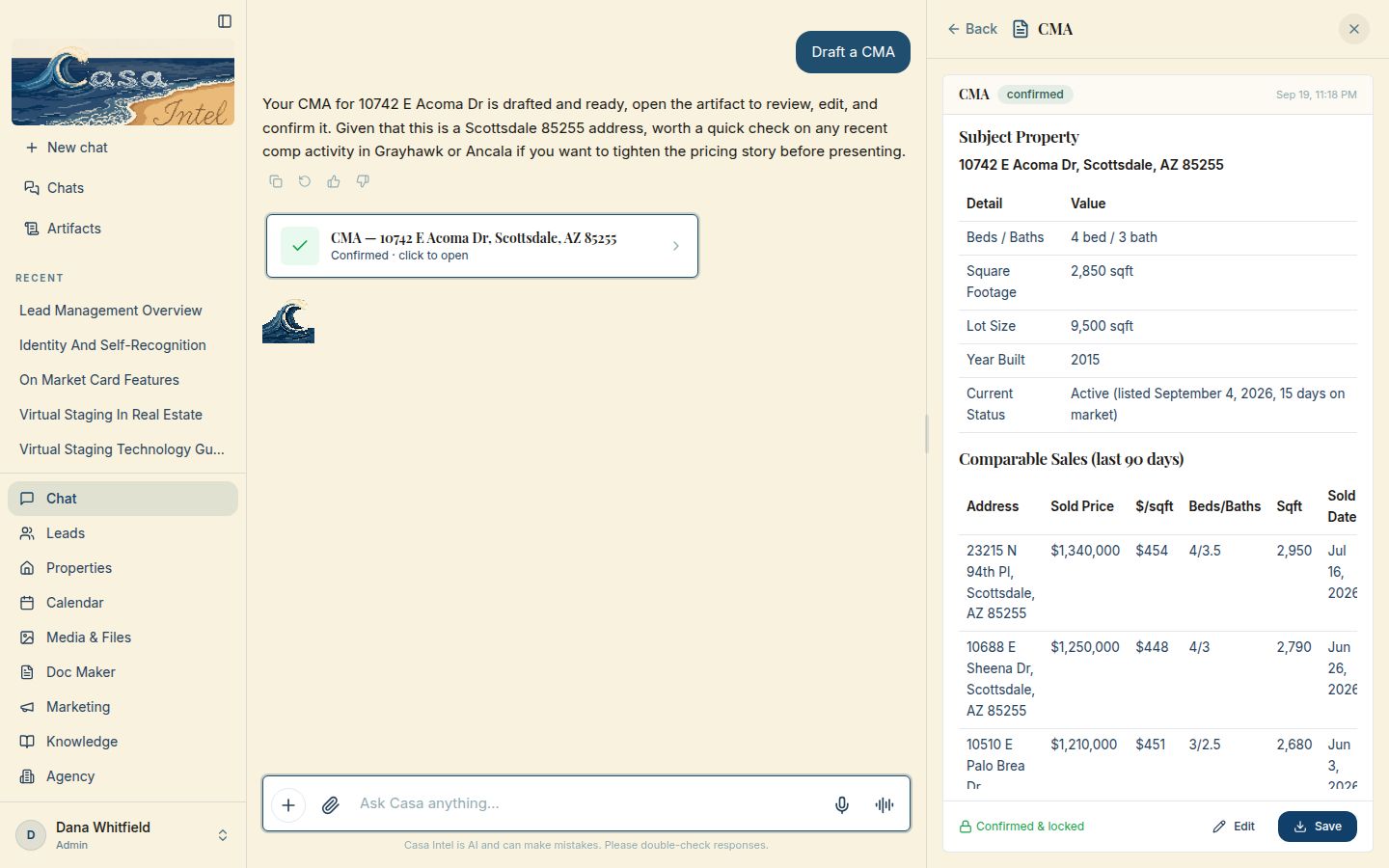
It drafts a CMA from one line

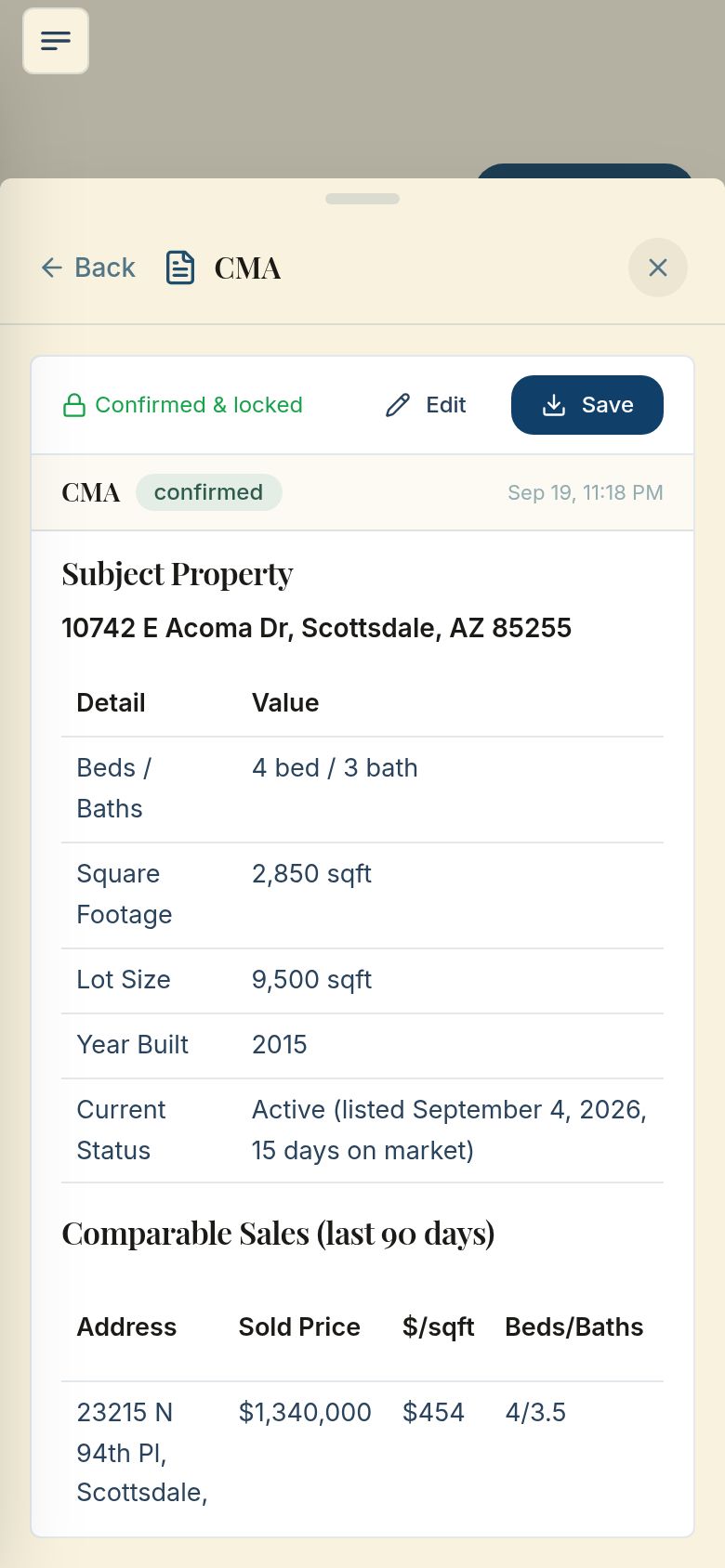
Type “Draft a CMA” and the agent builds one for the listing, with comparable sales from the last 90 days. It opens beside the chat to review, edit and save.

What it does for you
You start from a finished draft instead of a blank page.
How I can do this for you
I can connect a chat like this to the reports your business writes most.
Ask me about this
The chat on a computer: “Draft a CMA” and the finished CMA open beside it with comparable sales
On a computer
The CMA open on a phone
On a phone
It drafts a CMA from one line

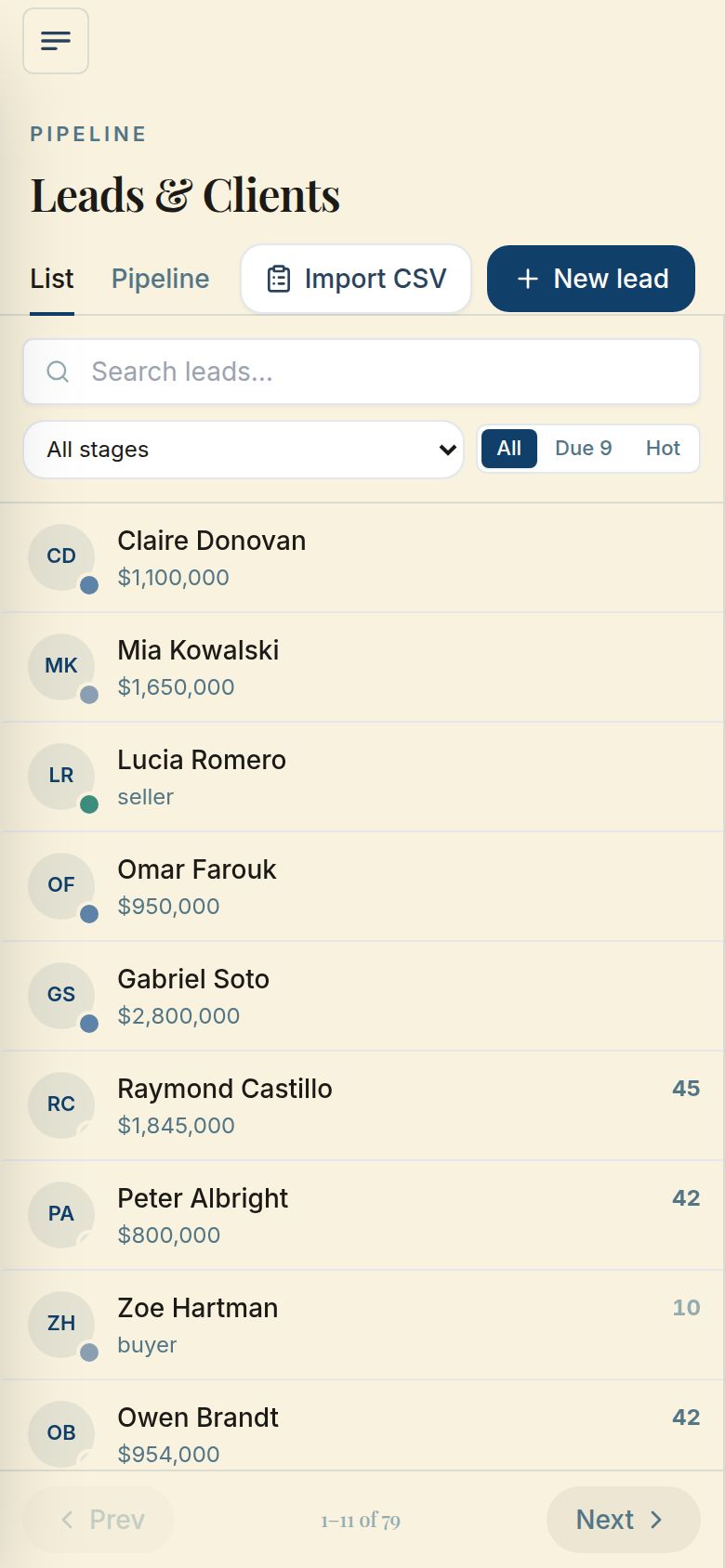
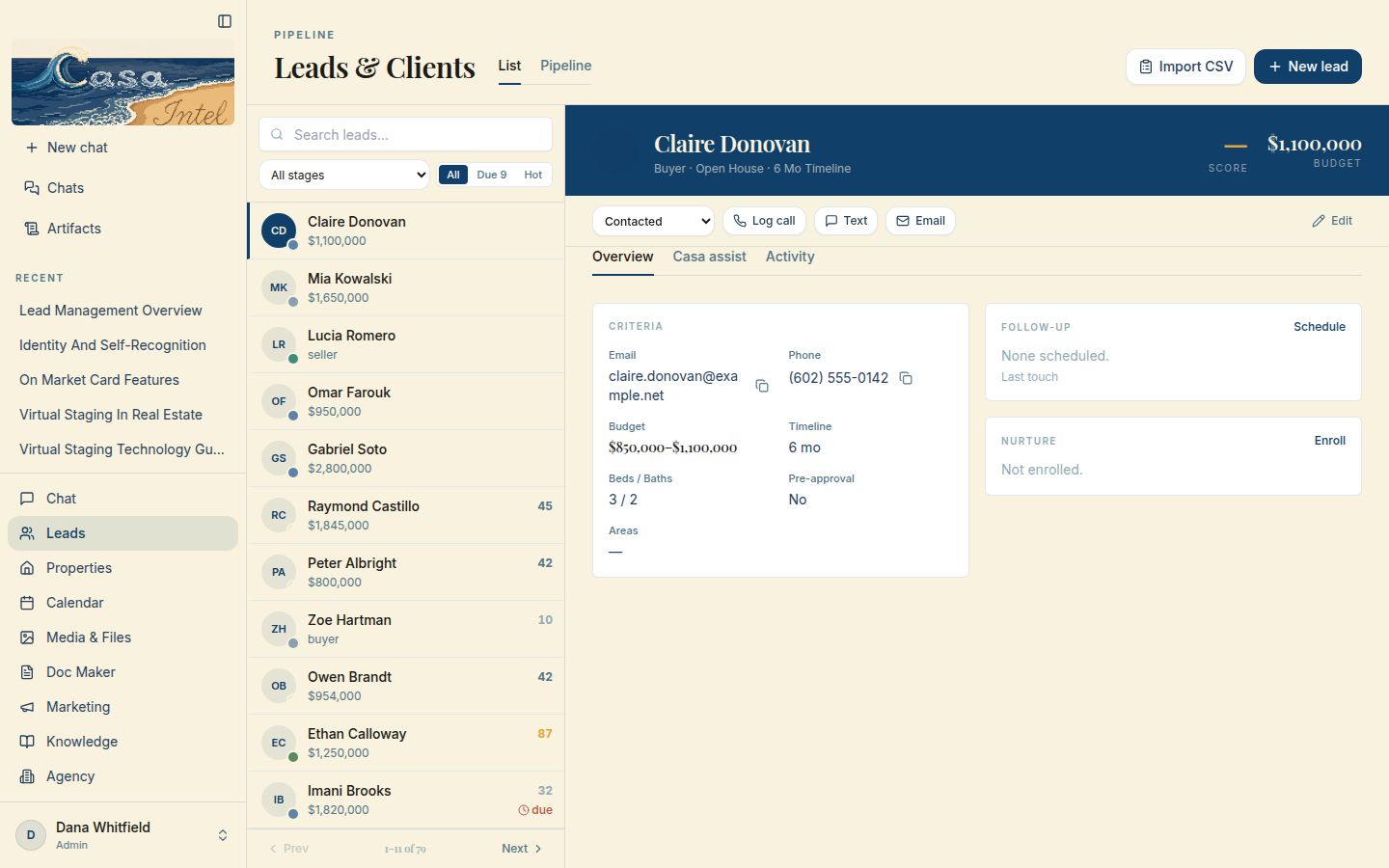
Leads list

The agent scores every lead and flags anyone whose follow-up is overdue. This list is where you see it: each lead with the budget under the name and the score beside it.

What it does for you
You know who’s worth a call and who’s waiting on you, without sorting anything yourself.
How I can do this for you
I can set up a lead list like this for you and bring your current leads in from a spreadsheet.
Ask me about this
The Leads page on a computer: a list of leads with budgets and scores, one lead open beside it
On a computer
The Leads list on a phone
On a phone
Leads list

Pipeline board

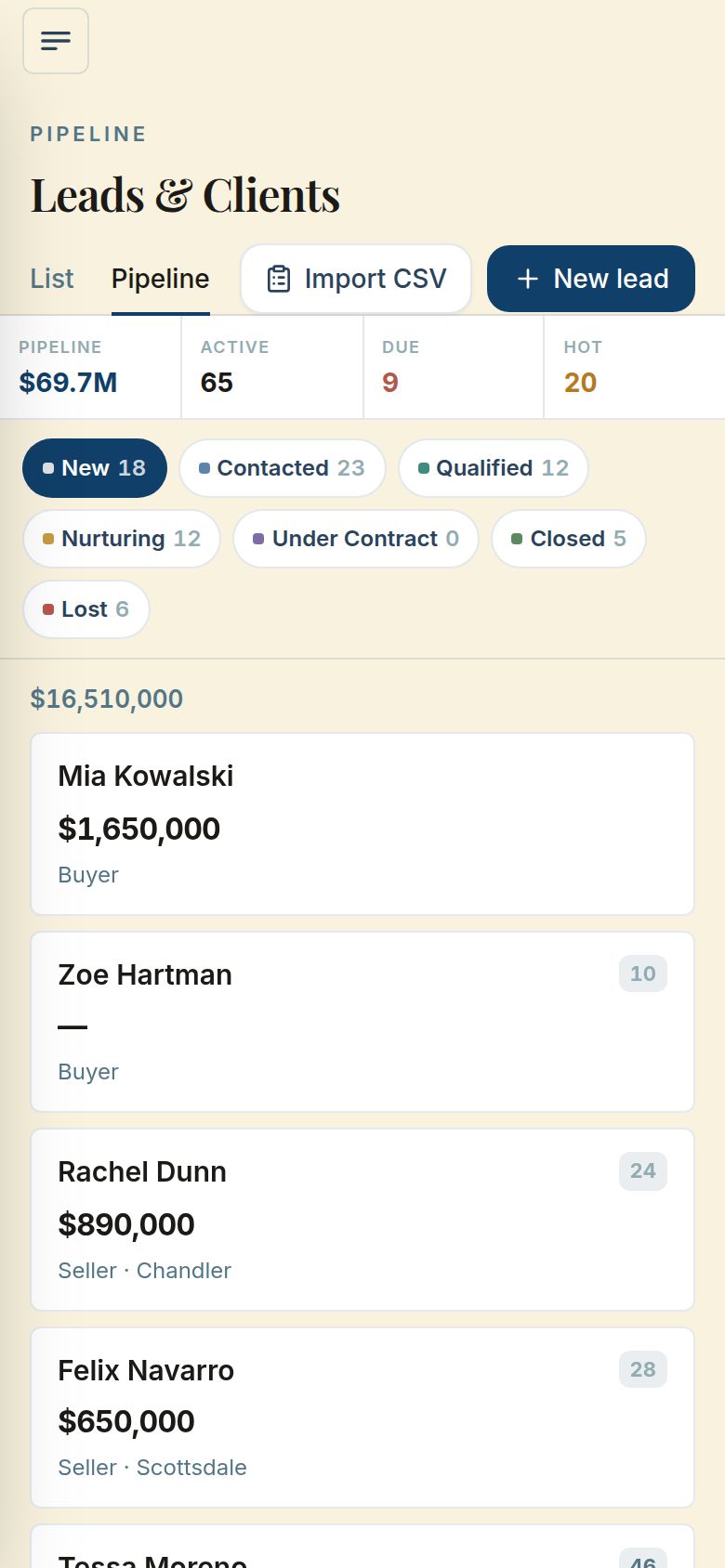
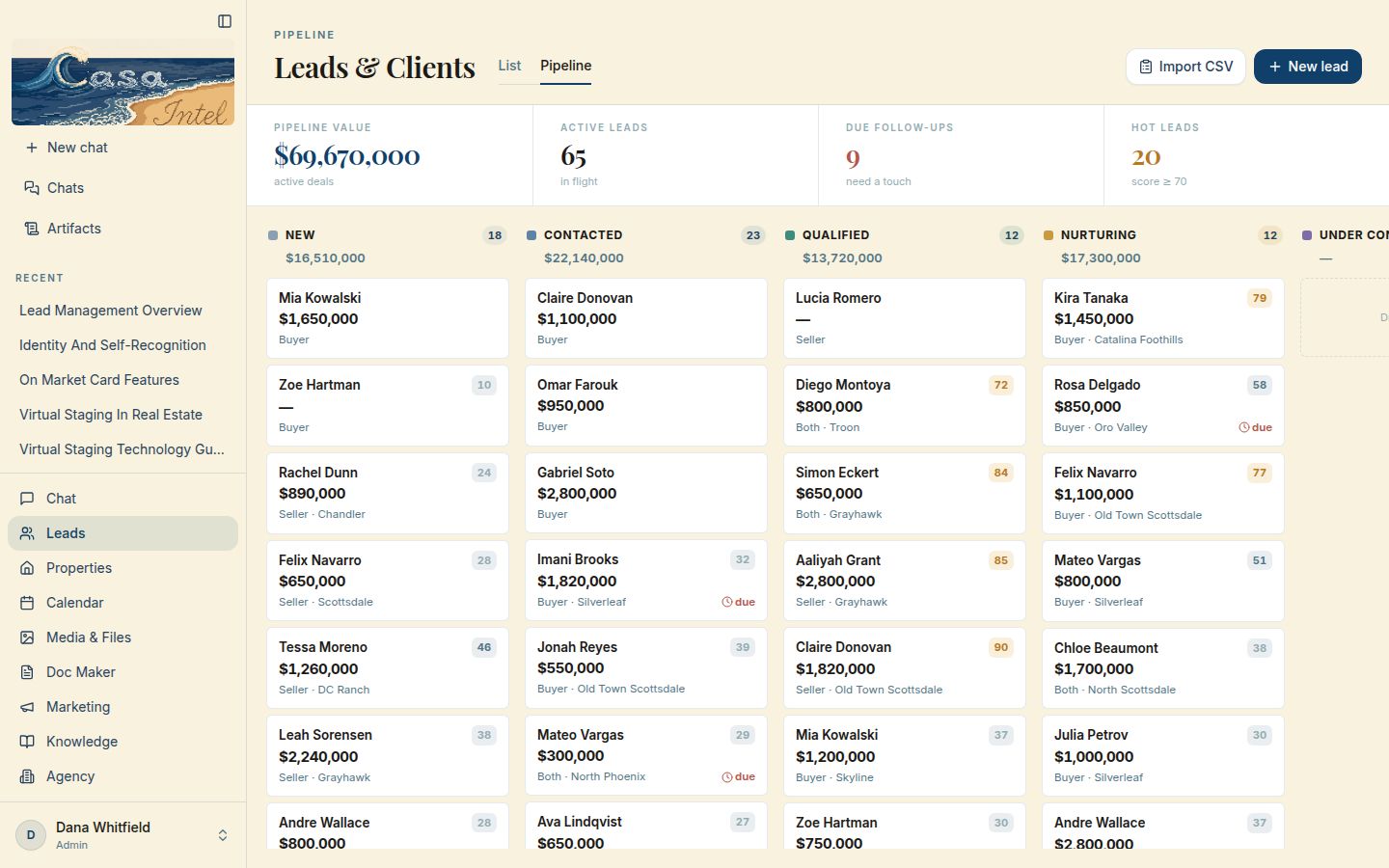
Ask the agent for a pipeline summary and it adds it up for you. The board shows the same leads by stage, with each column’s dollar value on top.

What it does for you
You know what your pipeline is worth and where every deal sits, without building a report.
How I can do this for you
I can give your team a pipeline board like this, with the stages you actually use.
Ask me about this
The pipeline board on a computer: columns for new, contacted, qualified and nurturing leads, with totals on top
On a computer
The pipeline on a phone: stage chips and the leads in the first stage
On a phone
Pipeline board

One lead, the whole picture

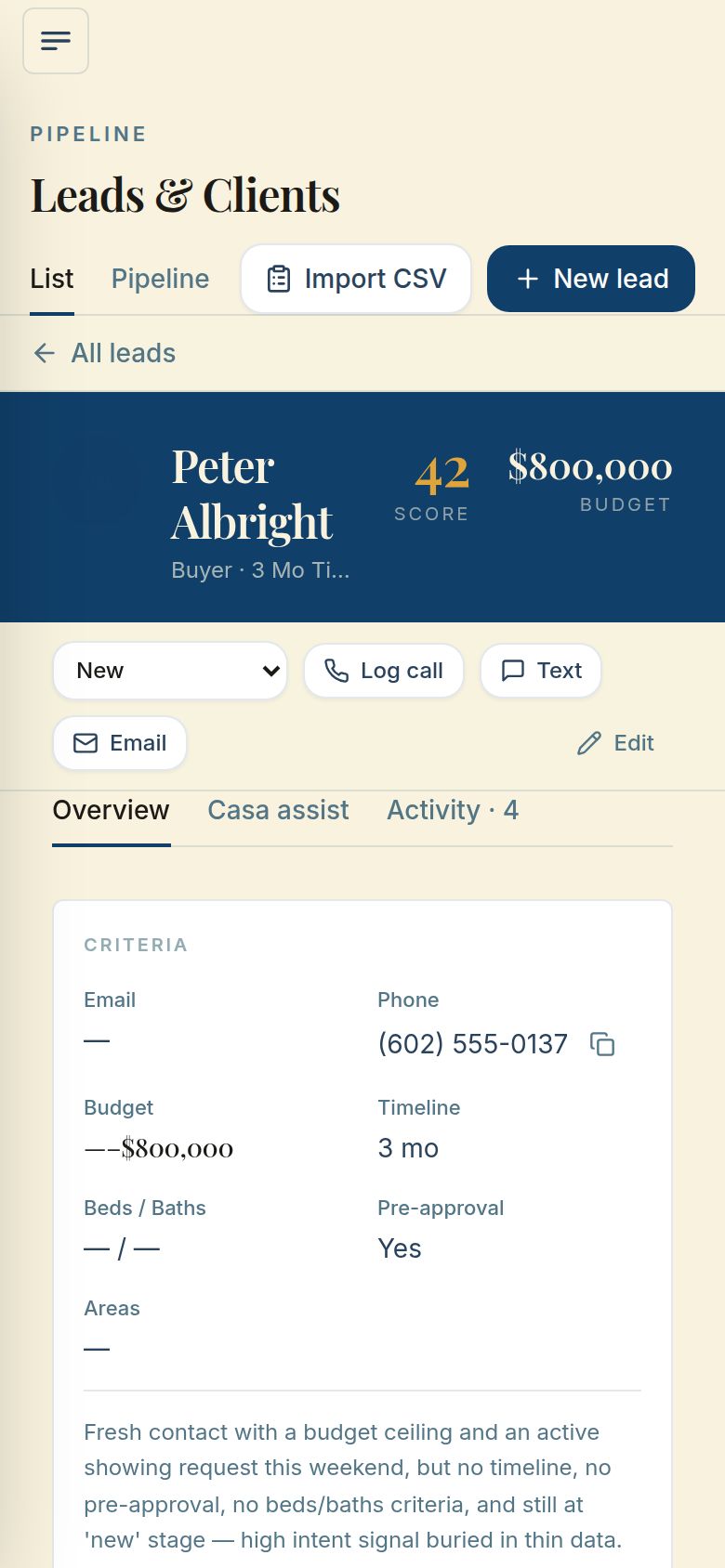
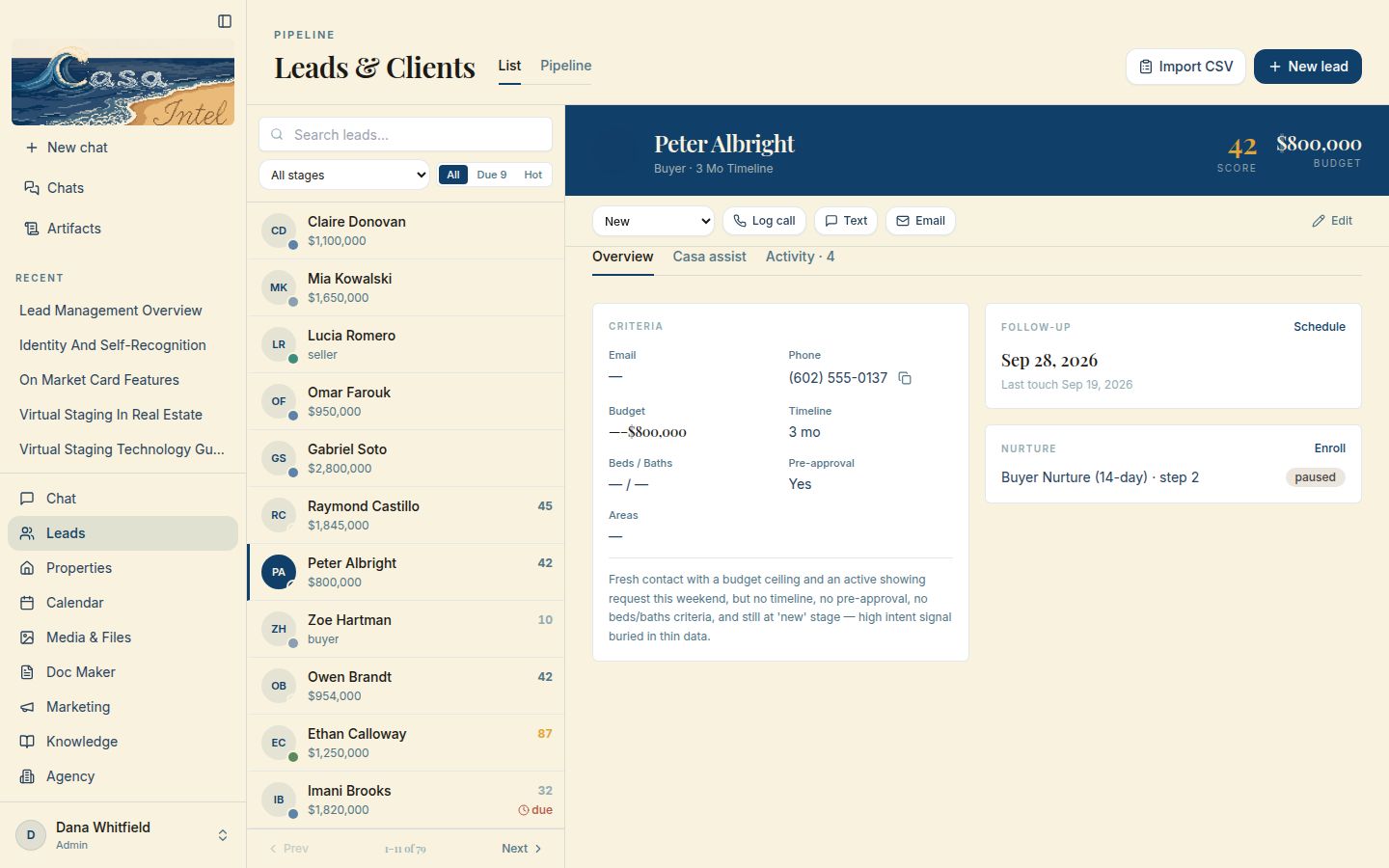
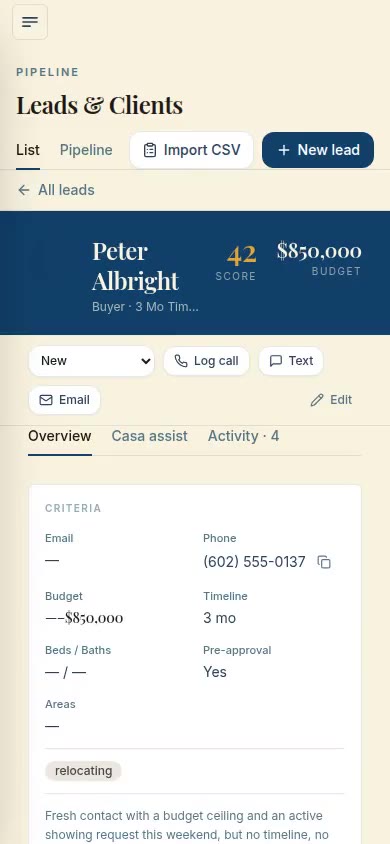
The agent explains every score in plain words. Open a lead to see their criteria, score, next follow-up and nurture sequence, with that reason under the criteria.

What it does for you
Before you call, you know what they want and why they rank where they do.
How I can do this for you
I can build lead pages like this around the details your clients care about.
Ask me about this
One lead open on a computer: score 42, an $800,000 budget, a follow-up date, a paused nurture sequence and the reason for the score
On a computer
The same lead on a phone
On a phone
One lead, the whole picture

It updates your leads

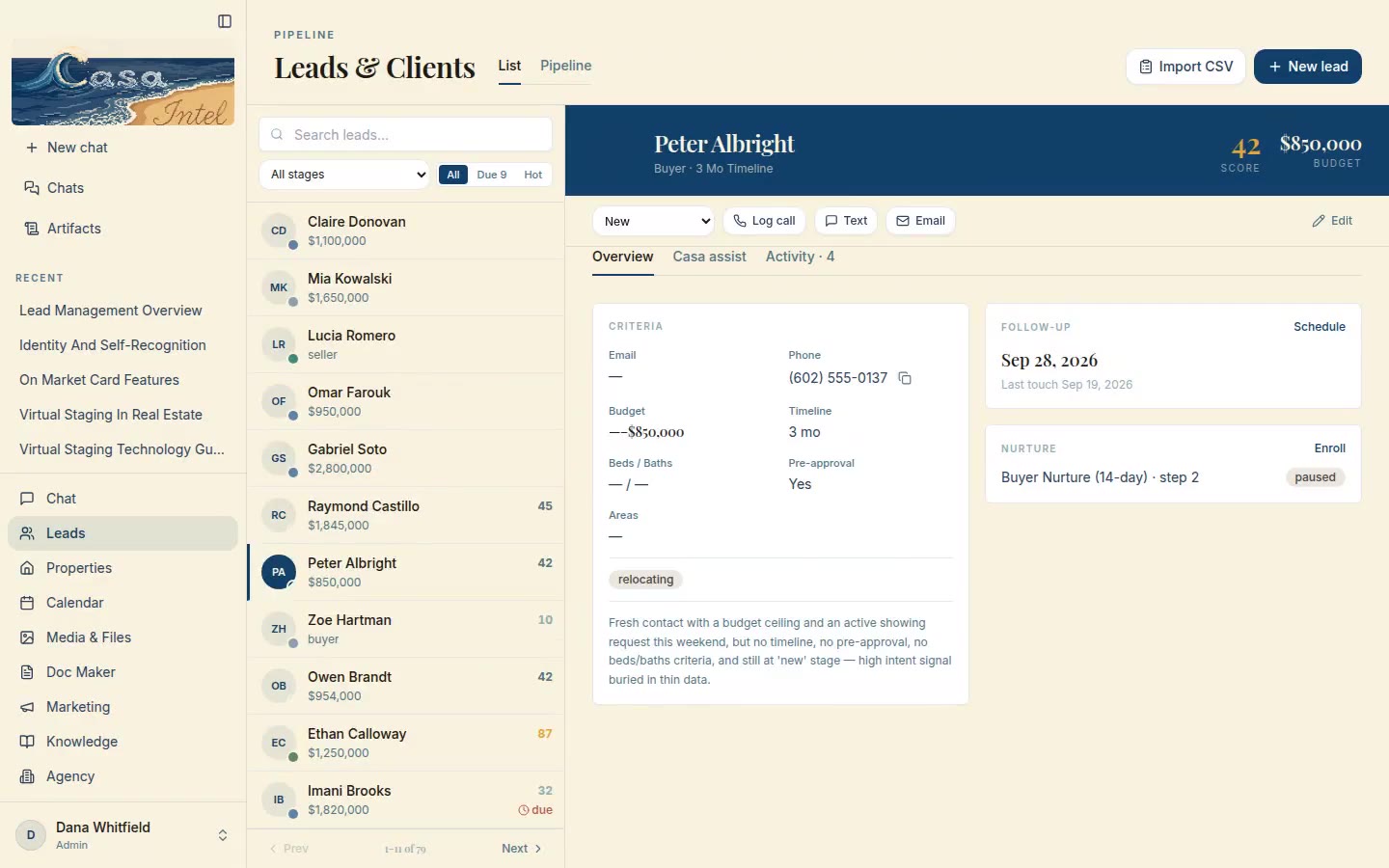
Tell the agent to update a lead, or do it by hand as here: the budget goes up and a tag is added. The change shows on the lead and in the list as soon as it’s saved.

What it does for you
Keeping a client current takes one sentence or a few seconds, and the whole CRM sees it.
How I can do this for you
I can build edit screens like this around the fields your business tracks.
Ask me about this
On a computer
On a phone
It updates your leads

Calendar

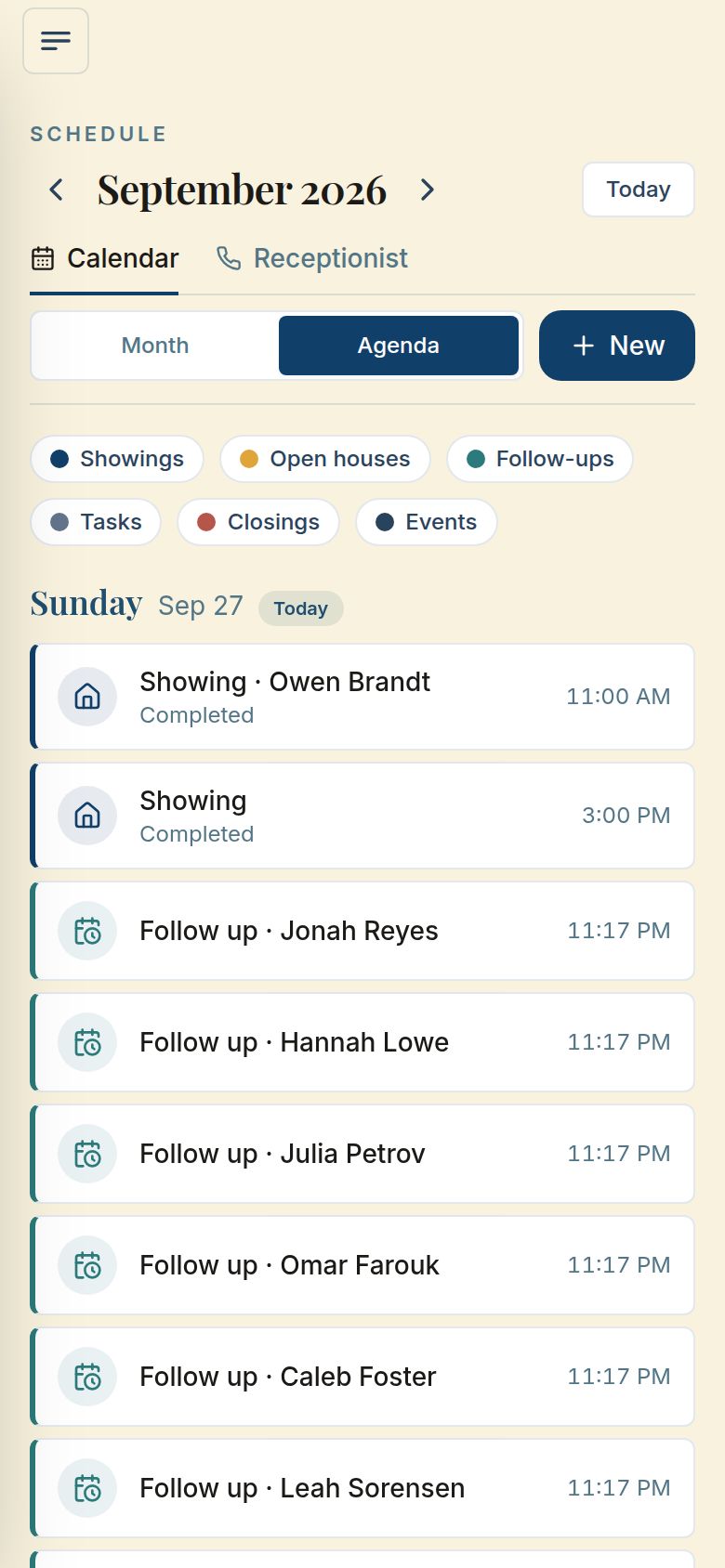
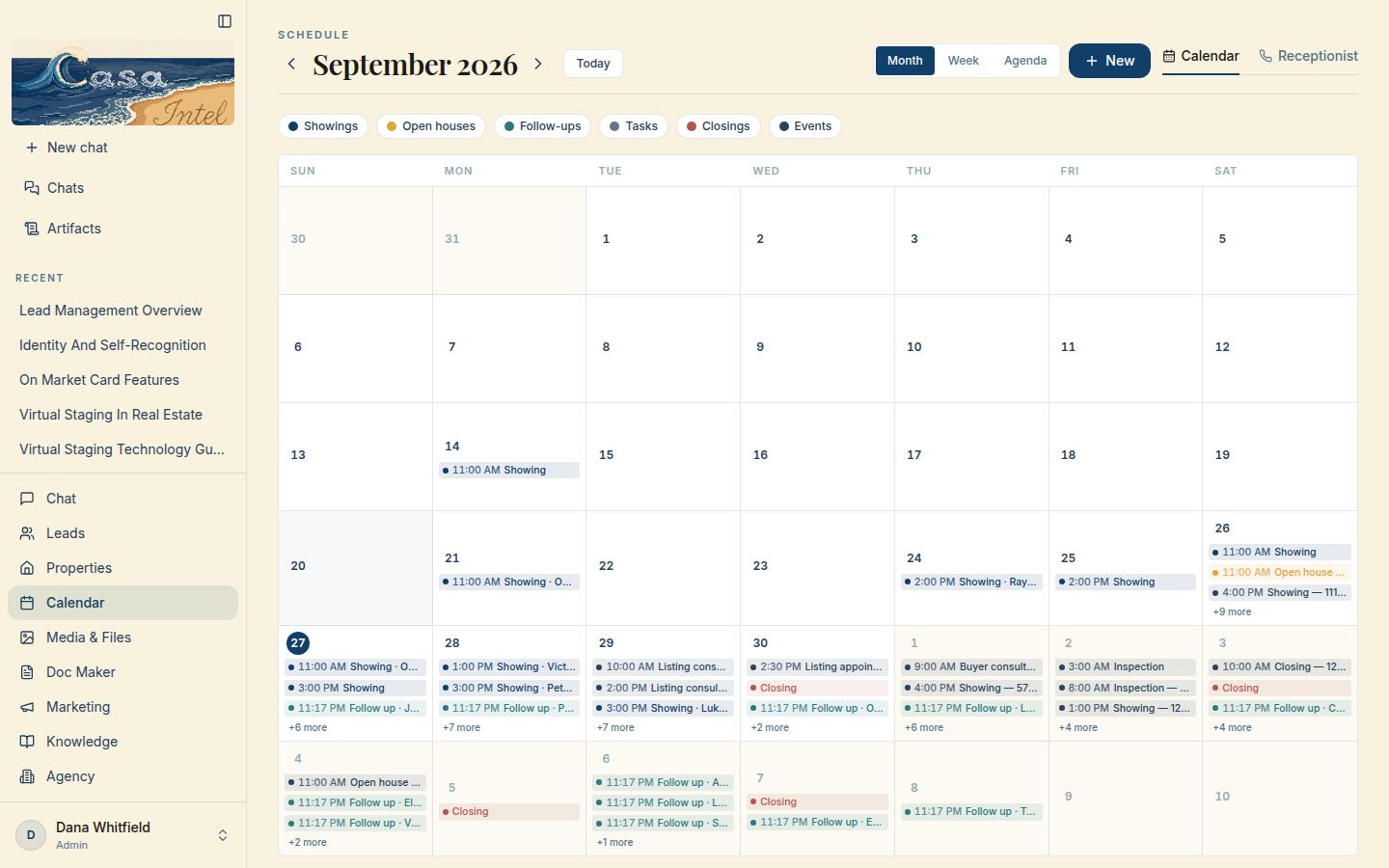
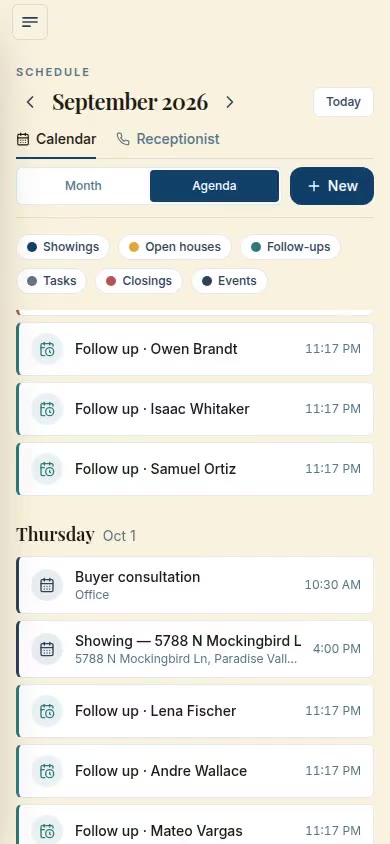
The agent reads your calendar and books follow-ups onto it for you. Showings, open houses, follow-ups, tasks and closings sit together, by month, week or agenda.

What it does for you
Your showings and your follow-ups live in one place, so nothing slips.
How I can do this for you
I can set up one calendar for your team that holds every kind of appointment you book.
Ask me about this
The calendar on a computer: a month of showings, follow-ups and closings
On a computer
The calendar on a phone, in agenda view
On a phone
Calendar

Listings

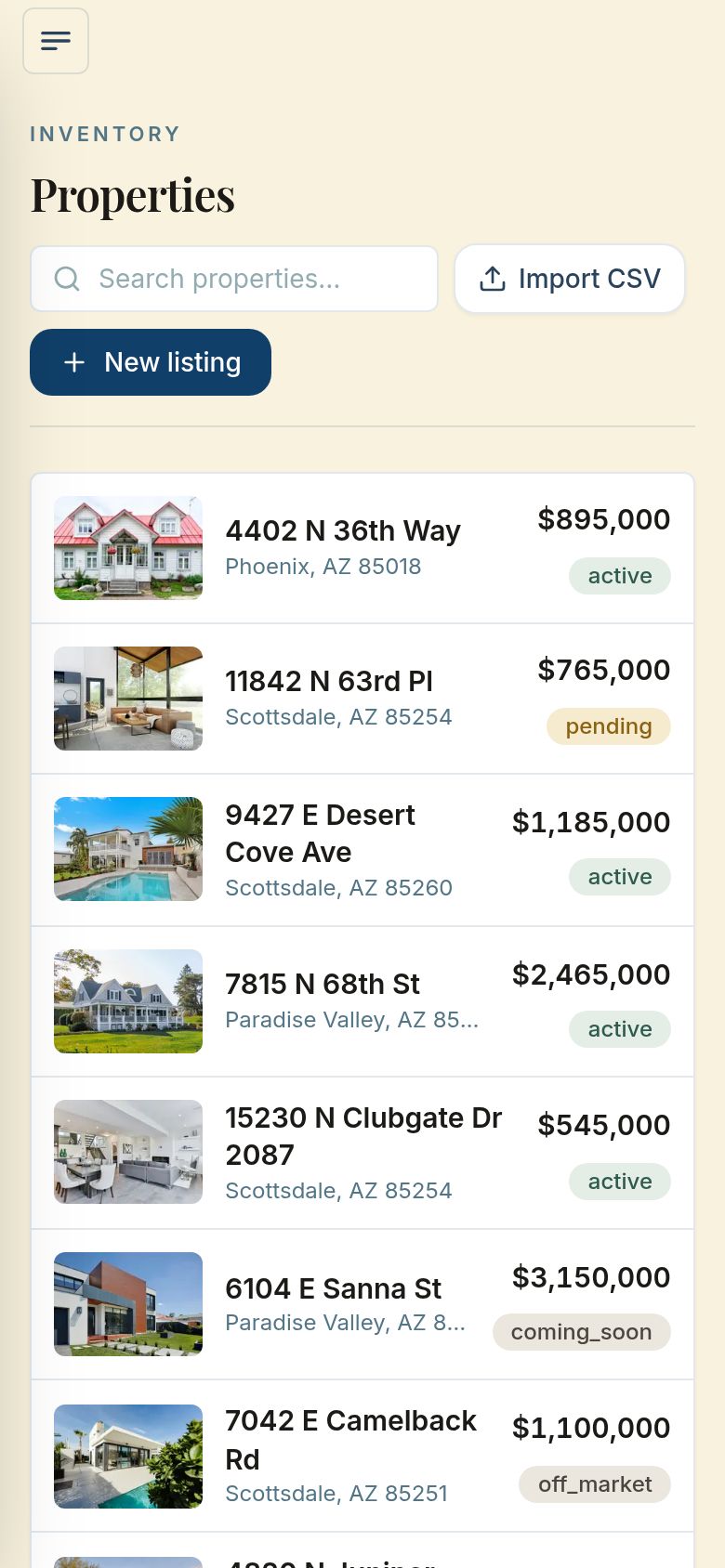
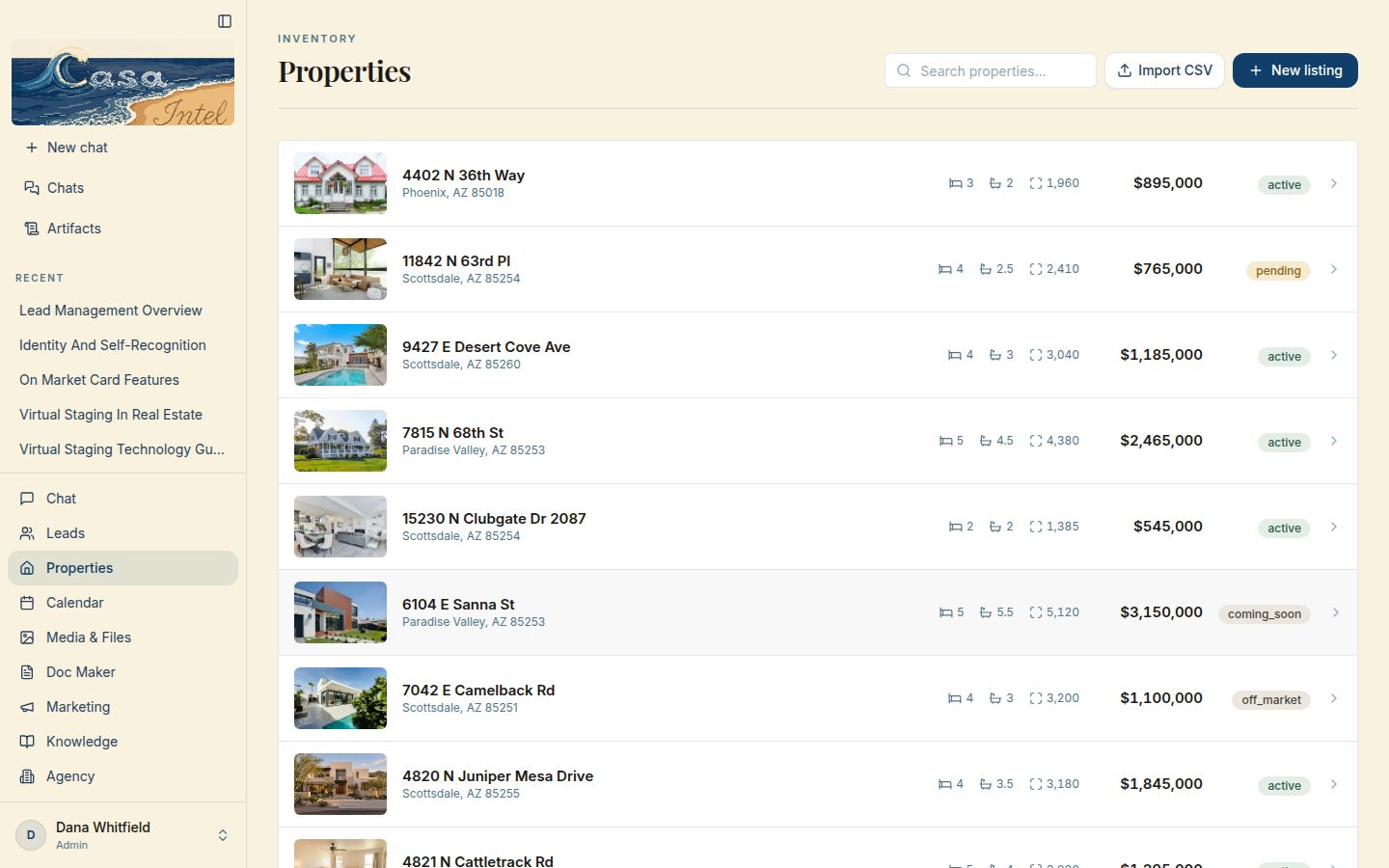
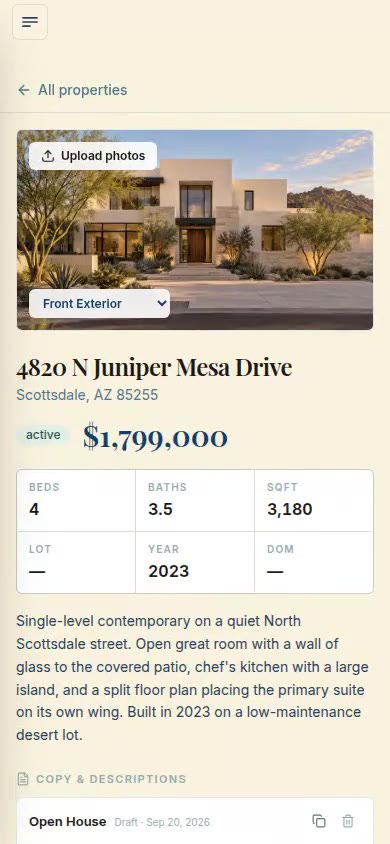
The agent adds your listings one at a time or from a spreadsheet, and updates them when you ask. Each one shows its photo, beds, baths, square feet, price and status.

What it does for you
Your inventory is one list you can scan in seconds, not a folder of files.
How I can do this for you
I can bring your listings into a page like this and keep them next to your leads.
Ask me about this
The Properties page on a computer: listings with photos, sizes, prices and status
On a computer
The listings on a phone
On a phone
Listings

It keeps listings current

Ask the agent to change a price, or do it yourself as here: Update Property, a new price, saved. The listing shows the new price right away.

What it does for you
A price change is one sentence or one field.
How I can do this for you
I can make your listings this easy to keep current.
Ask me about this
On a computer
On a phone
It keeps listings current

It fills your paperwork

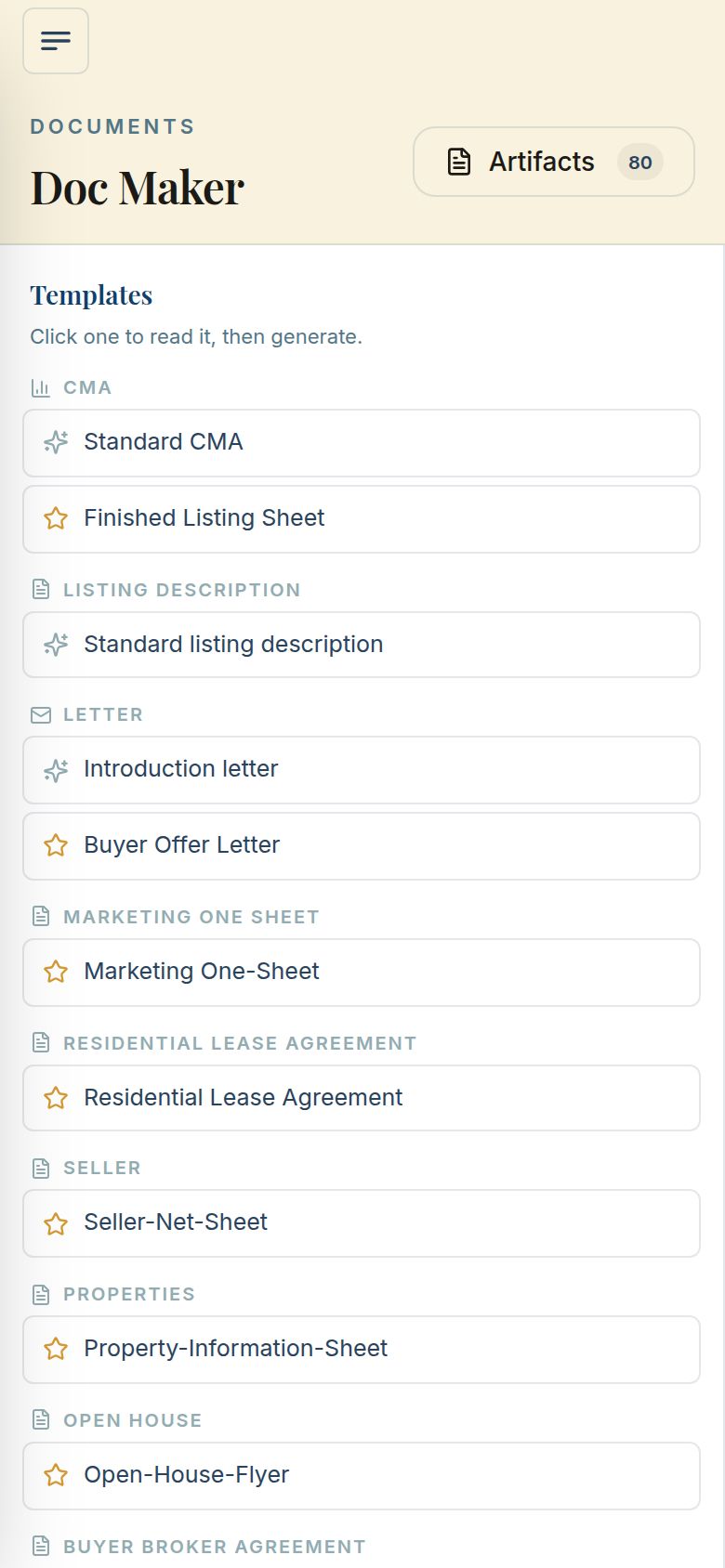
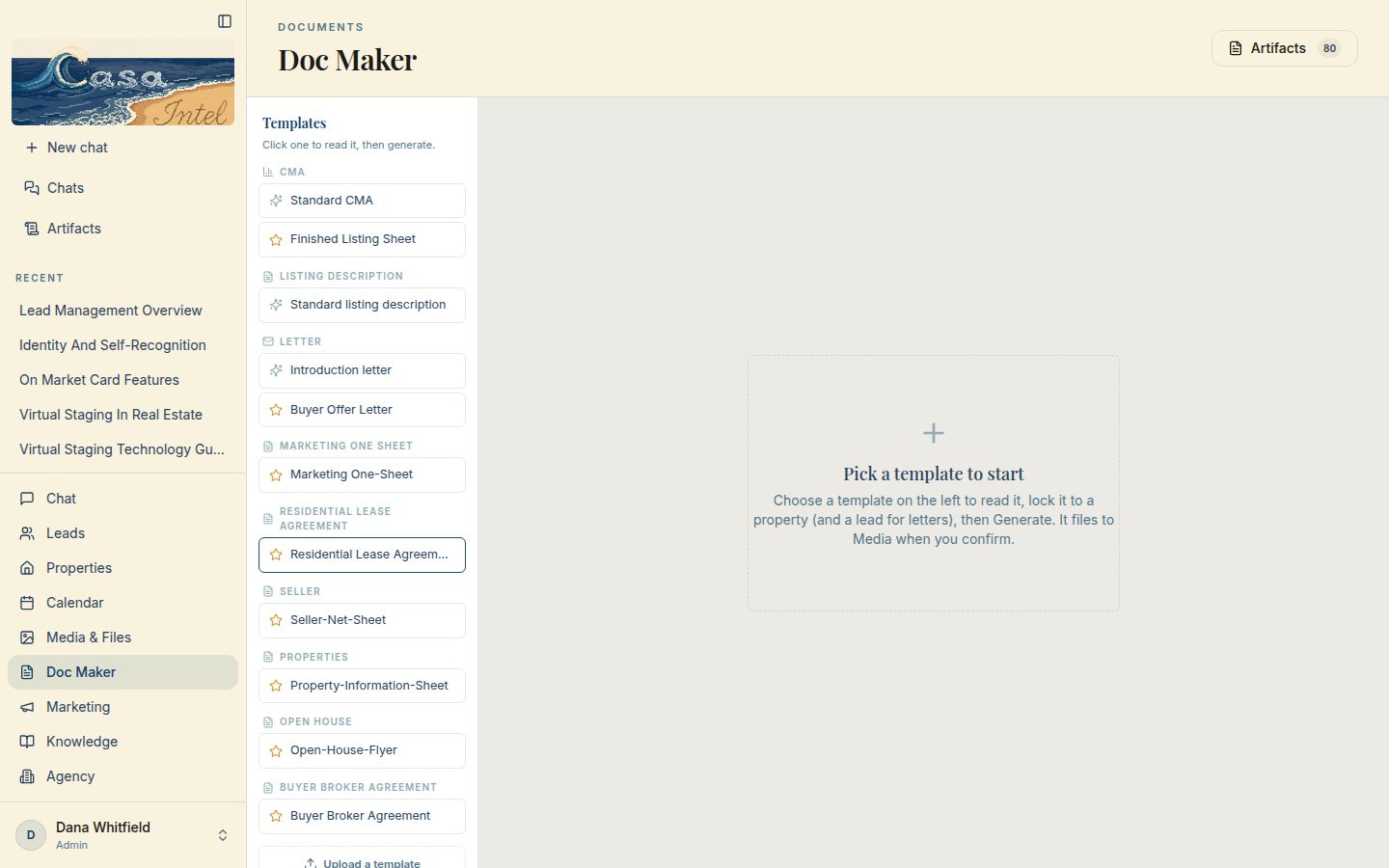
The agent fills your paperwork from the CRM: CMAs, offer letters, lease agreements, net sheets, flyers and more. Pick a template, lock it to a property or a lead, and it generates the copy.

What it does for you
The forms you fill out every week start already filled in.
How I can do this for you
I can turn your own forms into templates like these.
Ask me about this
Doc Maker on a computer: a list of templates grouped by type
On a computer
Doc Maker templates on a phone
On a phone
It fills your paperwork

Media & Files

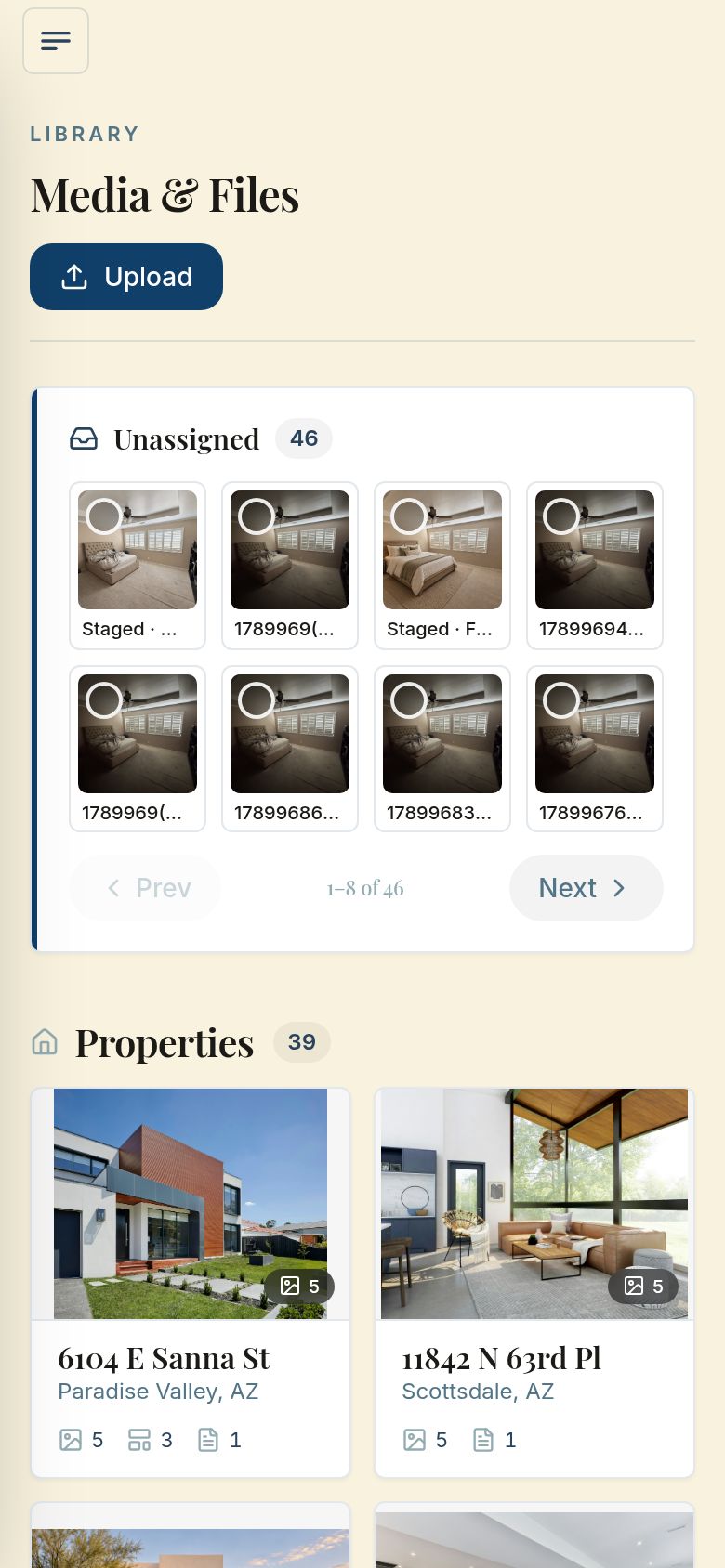
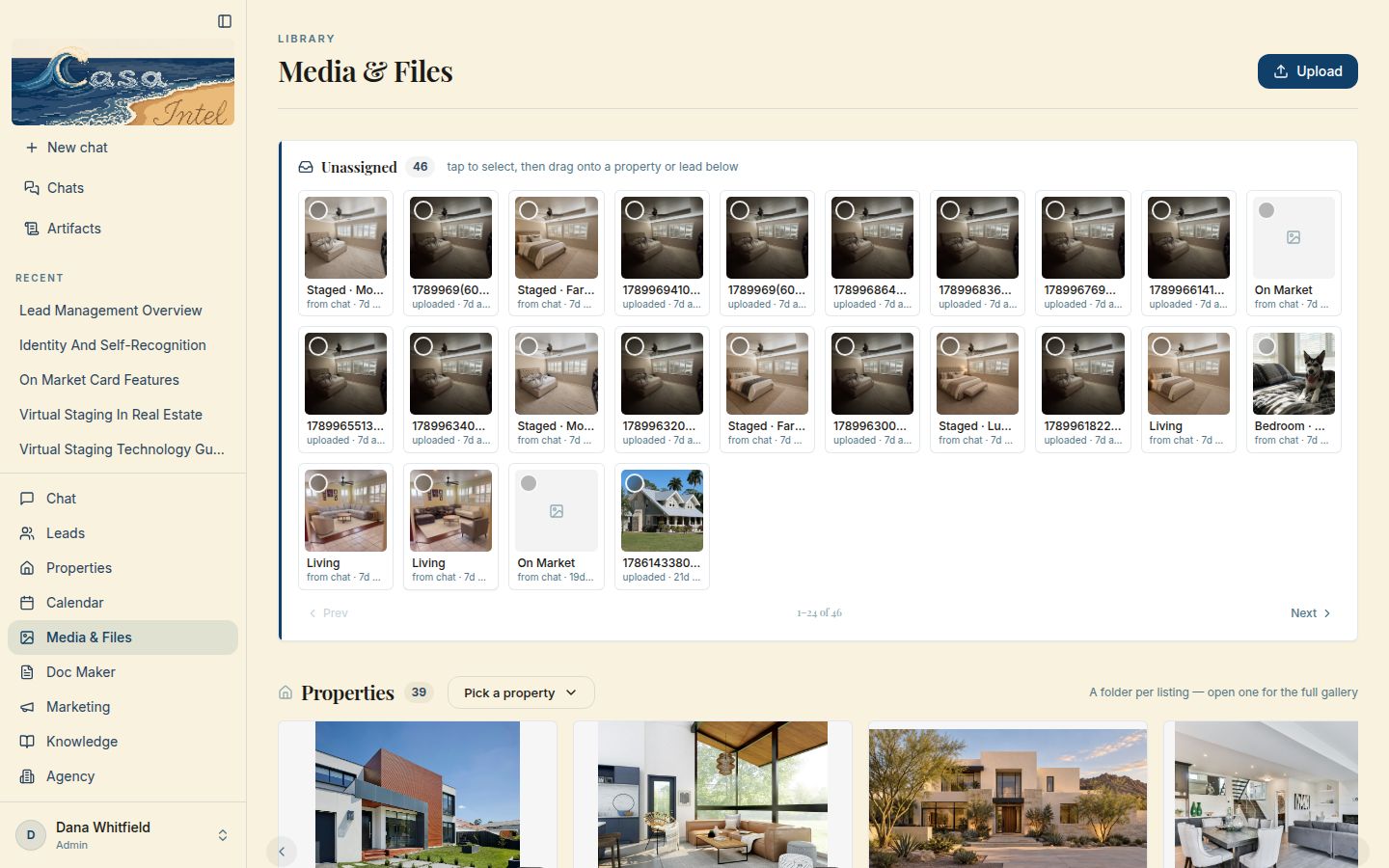
Every photo and file the agent works from, in one library with a folder for each listing. New uploads wait in one tray until you drag them onto a property or a lead.

What it does for you
Listing photos stay with the listing, so you stop hunting for them.
How I can do this for you
I can give your business one library like this, sorted the way you work.
Ask me about this
Media & Files on a computer: a tray of new photos and a folder per listing
On a computer
Media & Files on a phone
On a phone
Media & Files

Teach the agent your business

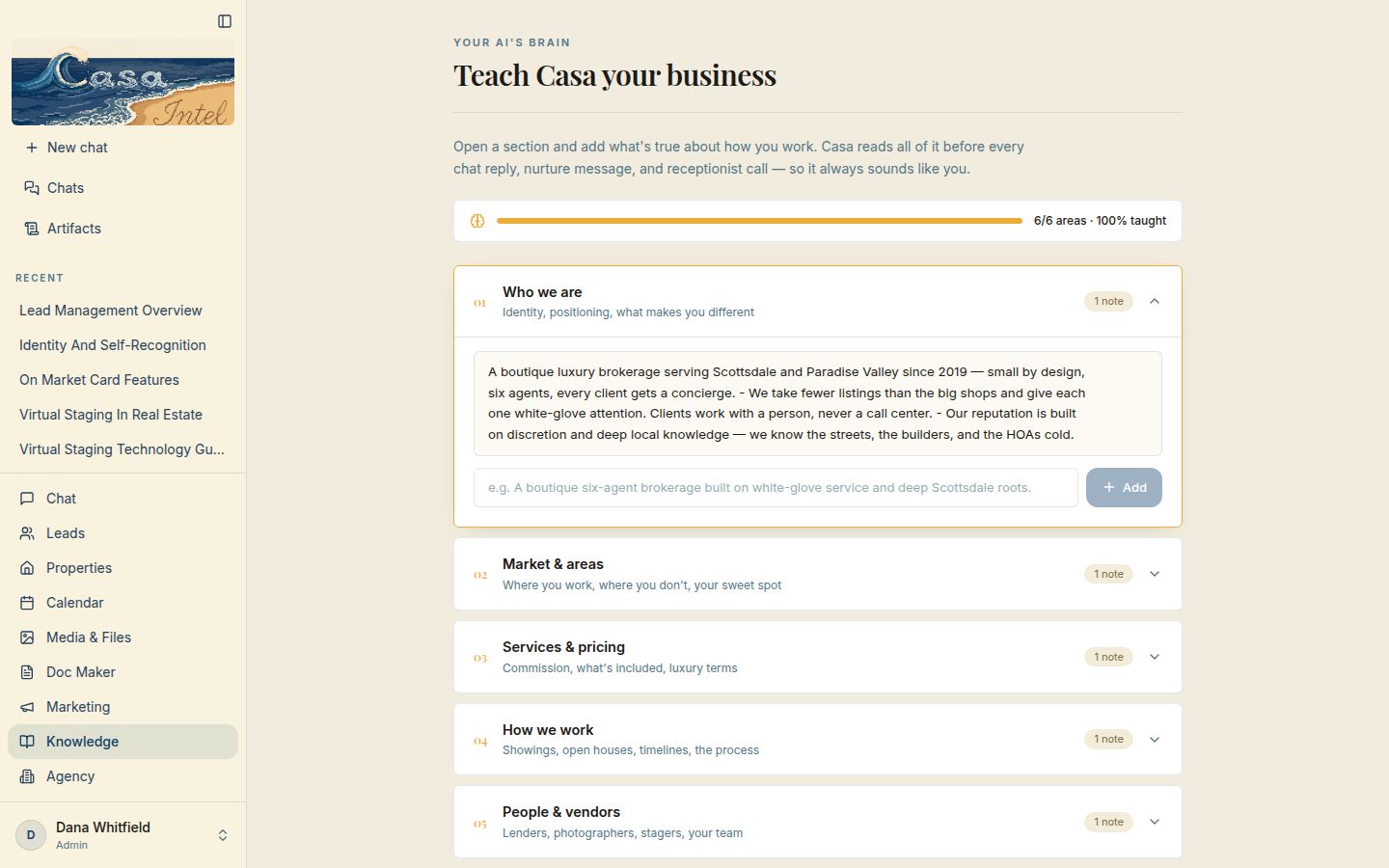
The agent reads this page before every chat reply, nurture message and receptionist call. You write down who you are, where you work, your pricing and how you work.

What it does for you
The agent answers the way you would, not like a generic bot.
How I can do this for you
I can set up a page like this so your assistant speaks for your business.
Ask me about this
The Knowledge page on a computer: six sections, all filled in, the first one open
On a computer
The Knowledge page on a phone
On a phone
Teach the agent your business

Agency overview

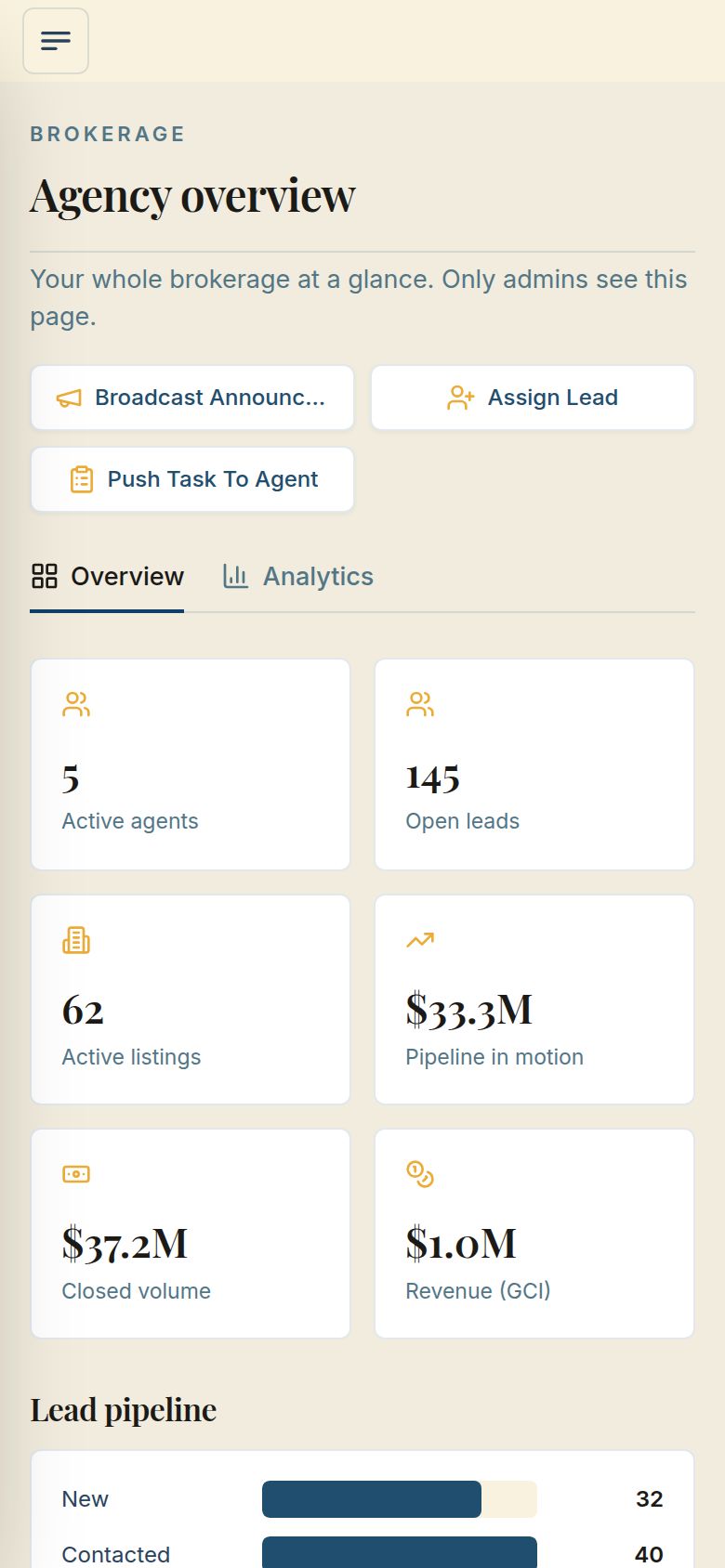
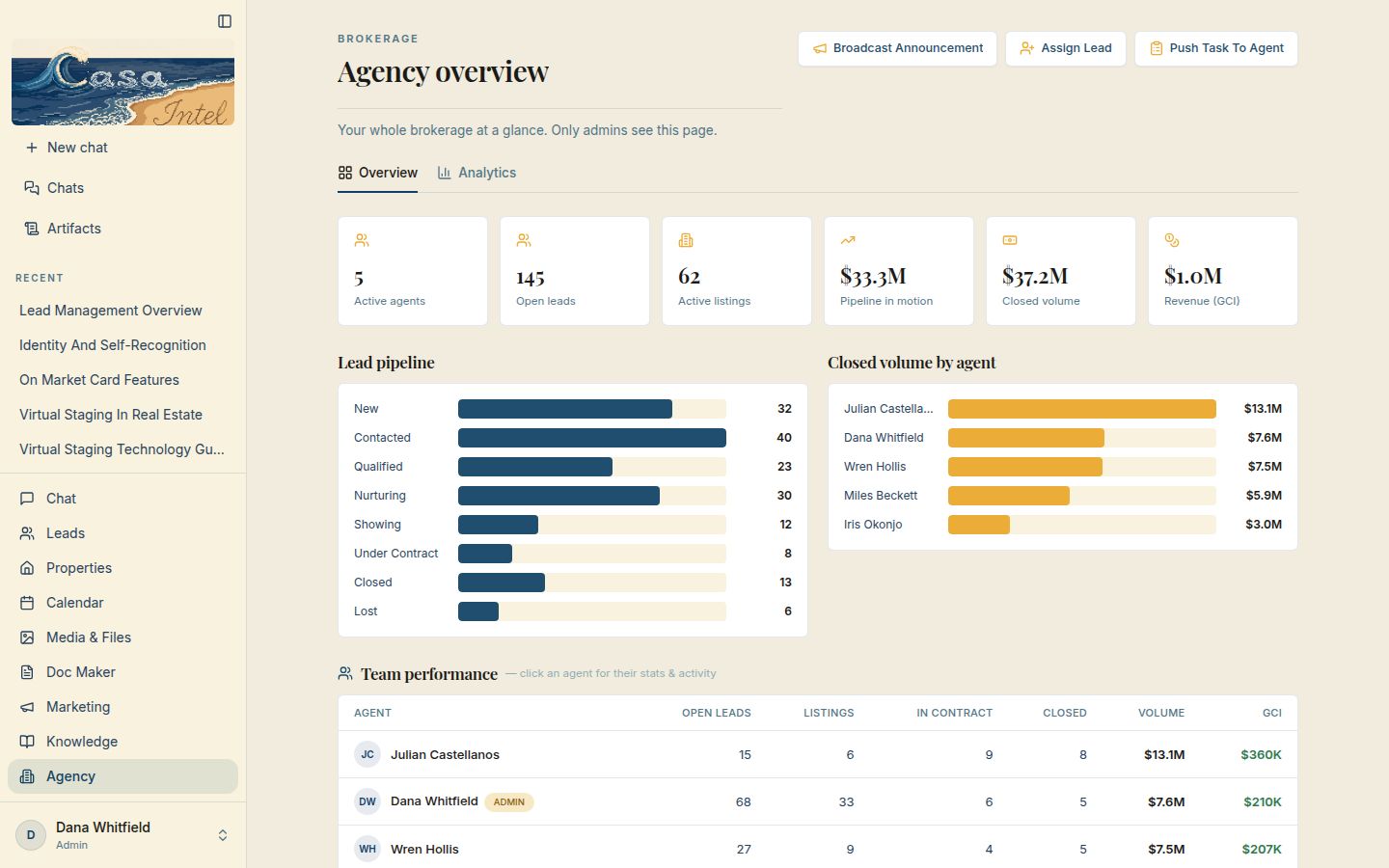
Ask the agent how the team is doing and it reads these numbers for you. For the broker: active agents, open leads, listings, pipeline, closed volume and revenue, then how each agent is doing.

What it does for you
You see the whole brokerage at a glance, and only admins can open it.
How I can do this for you
I can build an owner’s view like this over your own team’s numbers.
Ask me about this
The Agency overview on a computer: totals, a lead pipeline chart, closed volume by agent and a team table
On a computer
The Agency overview on a phone
On a phone
Agency overview

It books the calendar

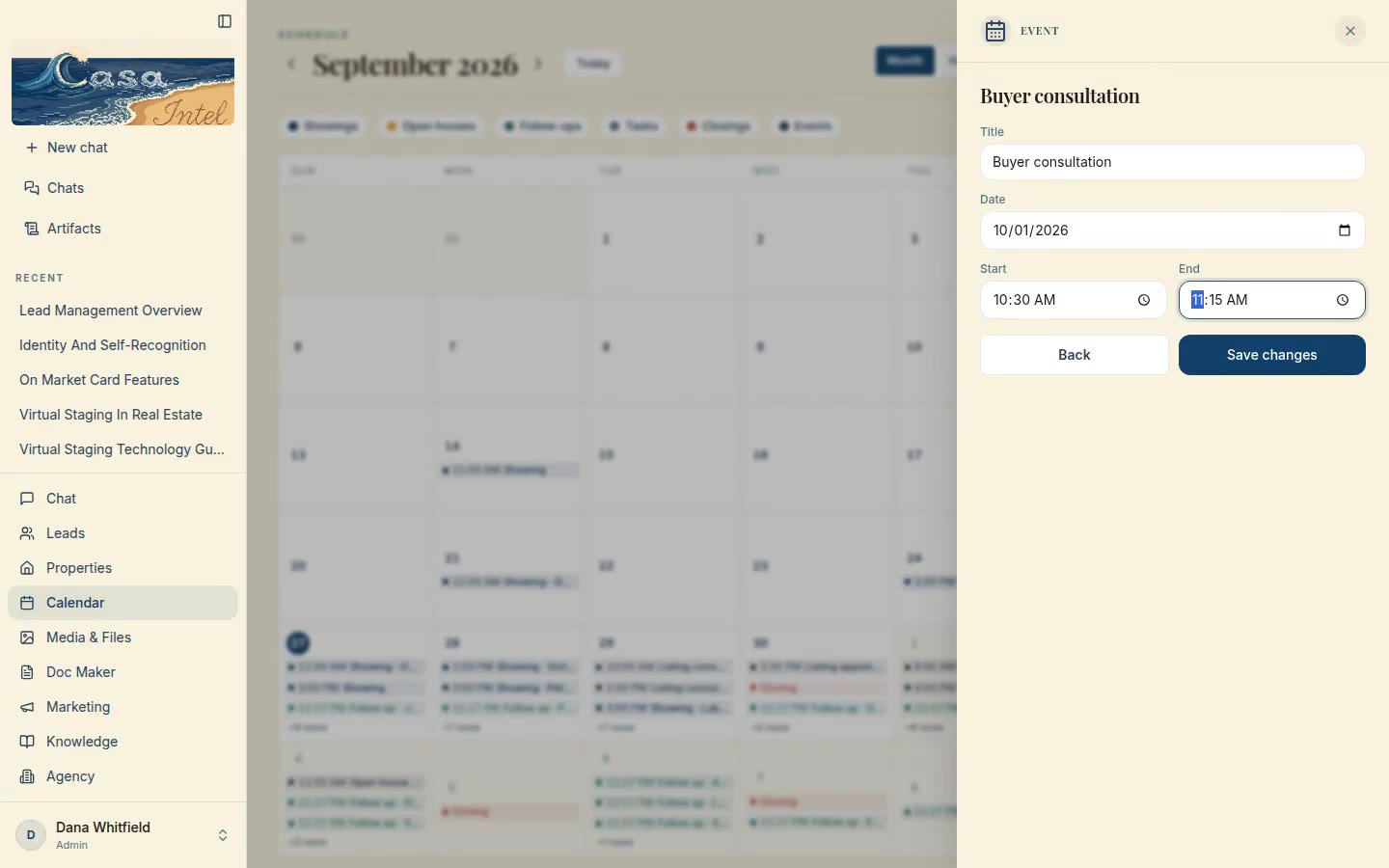
The agent books follow-ups and inspections onto this calendar. To move one yourself, open it, choose Reschedule and pick the new time; the calendar updates right away.

What it does for you
When plans change, your calendar keeps up from your pocket.
How I can do this for you
I can build a calendar your team can change from anywhere.
Ask me about this
On a computer
On a phone
It books the calendar

Connect your CRM to the MLS

Your brokerage requests a Back-Office feed and names me as its technology consultant, and your CRM runs on live MLS listings. The feed is for internal use only: it powers your CRM, never a public site.

What it does for you
Your agent works from live MLS listings, not a list someone keeps by hand.
How I can do this for you
I set up the connection for your brokerage; it needs your broker’s approval. In ARMLS, each brokerage gets its first 5 feeds free; after that, an extra feed is $150/mo, billed by the MLS to the brokerage.
Ask me about this

Coming with your MLS connection

Once your MLS is connected

It watches the MLS all day for your buyers. When a new listing matches a client’s area and budget, it drafts a personal message in your voice with the listing and your marketing, plus a short introduction to the listing agent.

What it does for you
You approve, it sends: you’re first to your client, every time, without watching the MLS all day.
How I can do this for you
I switch it on with your MLS connection. It only sends listings to your own signed clients, and nothing goes out until you approve it.
Ask me about this

How it could work in your business

Examples of what it could do, not past clients.

Get this built for you.

What you get
Your own AI CRM with the agent built in: your leads, listings, calendar and paperwork in one place. Ready-made, then fitted to your team and connected to the tools you already use.
How it works
We talk about how you work. I build it around that. You own it.

Real estate agent? See the whole platform at casaintel.co.